
Binary to Text Converter
Computers store every letter as a number, and every number as a pattern of 0s and 1s. Paste binary here to decode it into text, or type text to see its binary code — byte by byte, with the decimal and hexadecimal value of each. The converter uses UTF-8, the encoding the web runs on, so it handles accents and emoji as well as plain English letters.
- Free to use
- No sign-up
- Runs in your browser
Binary ↔ text converter
Binary Code Printables
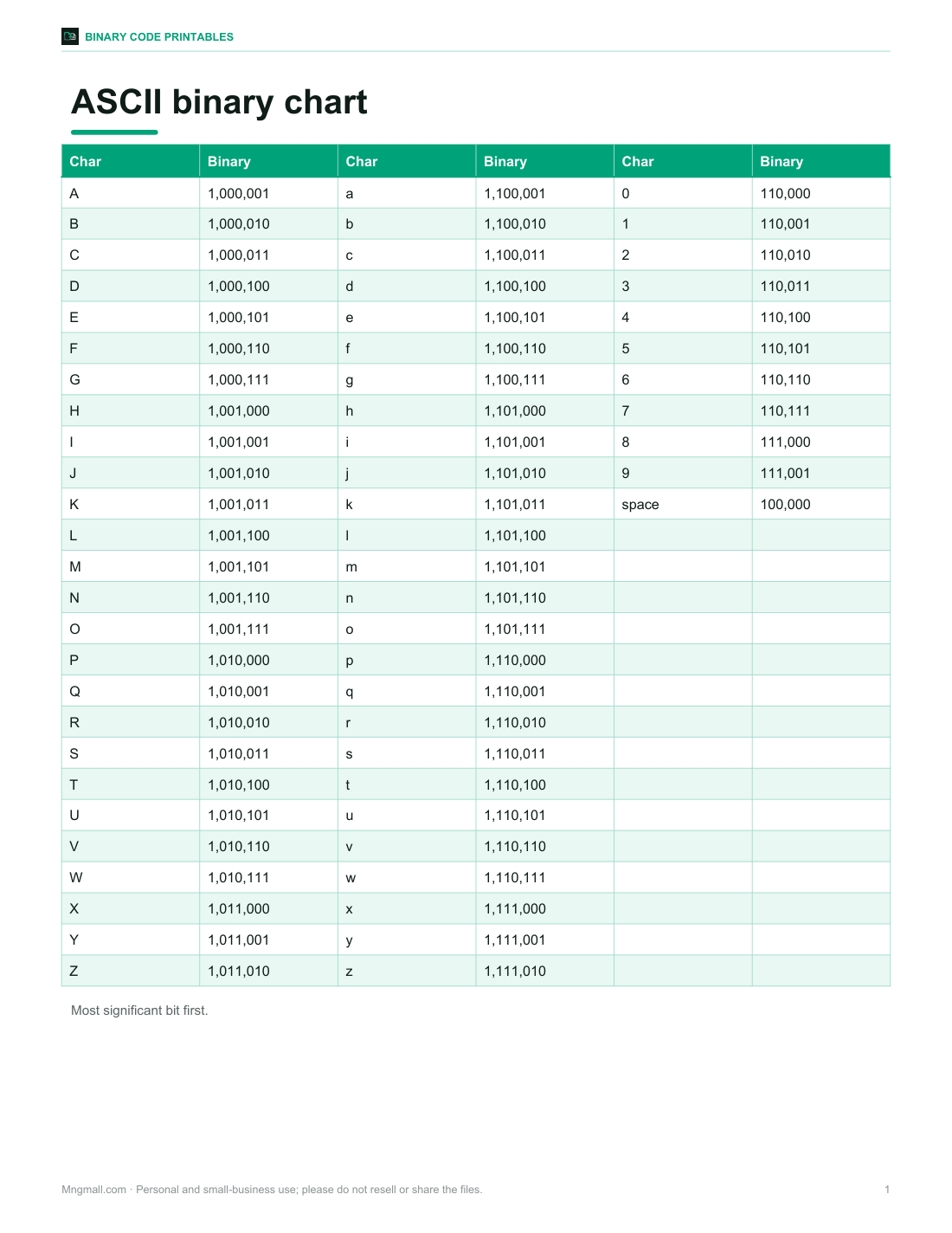
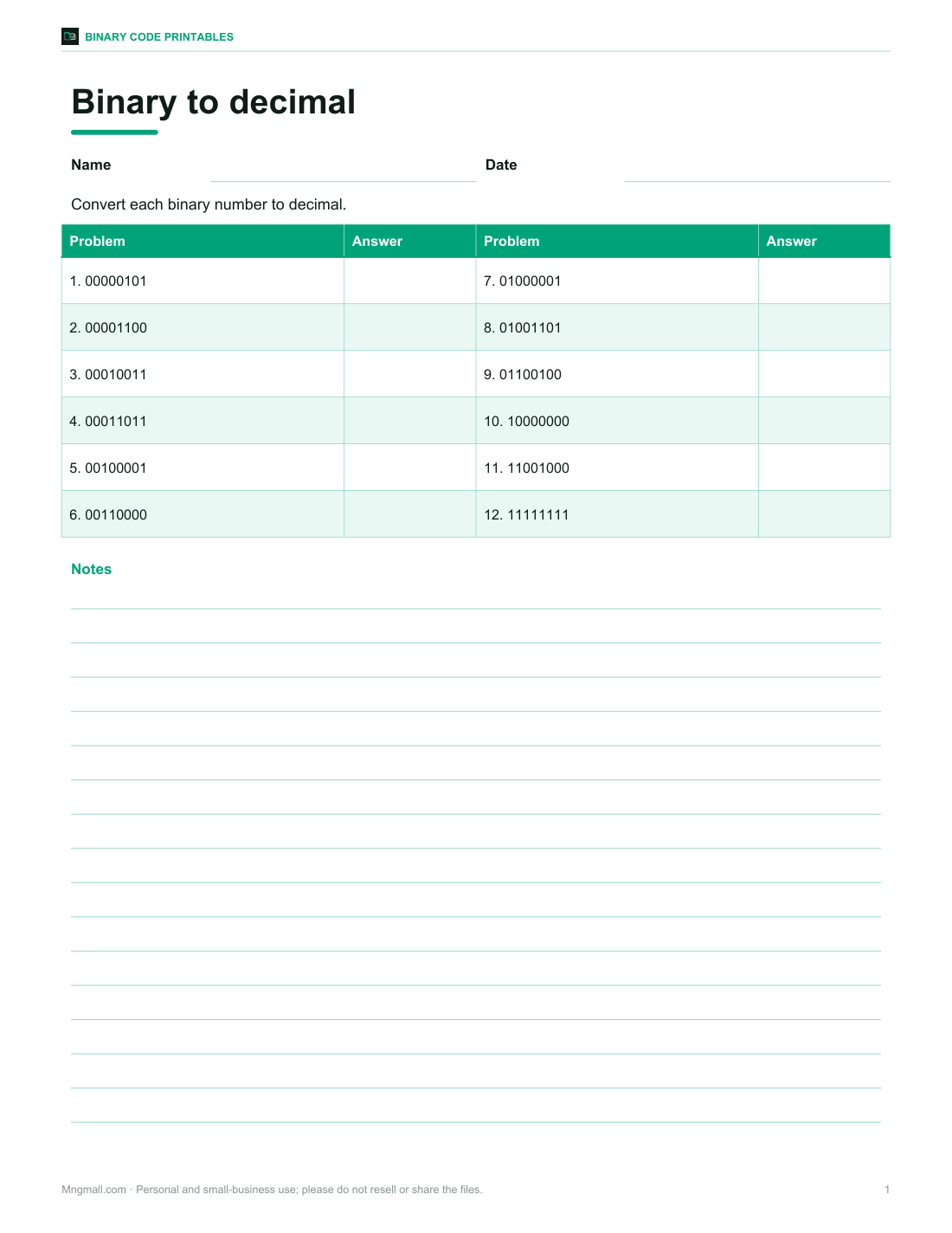
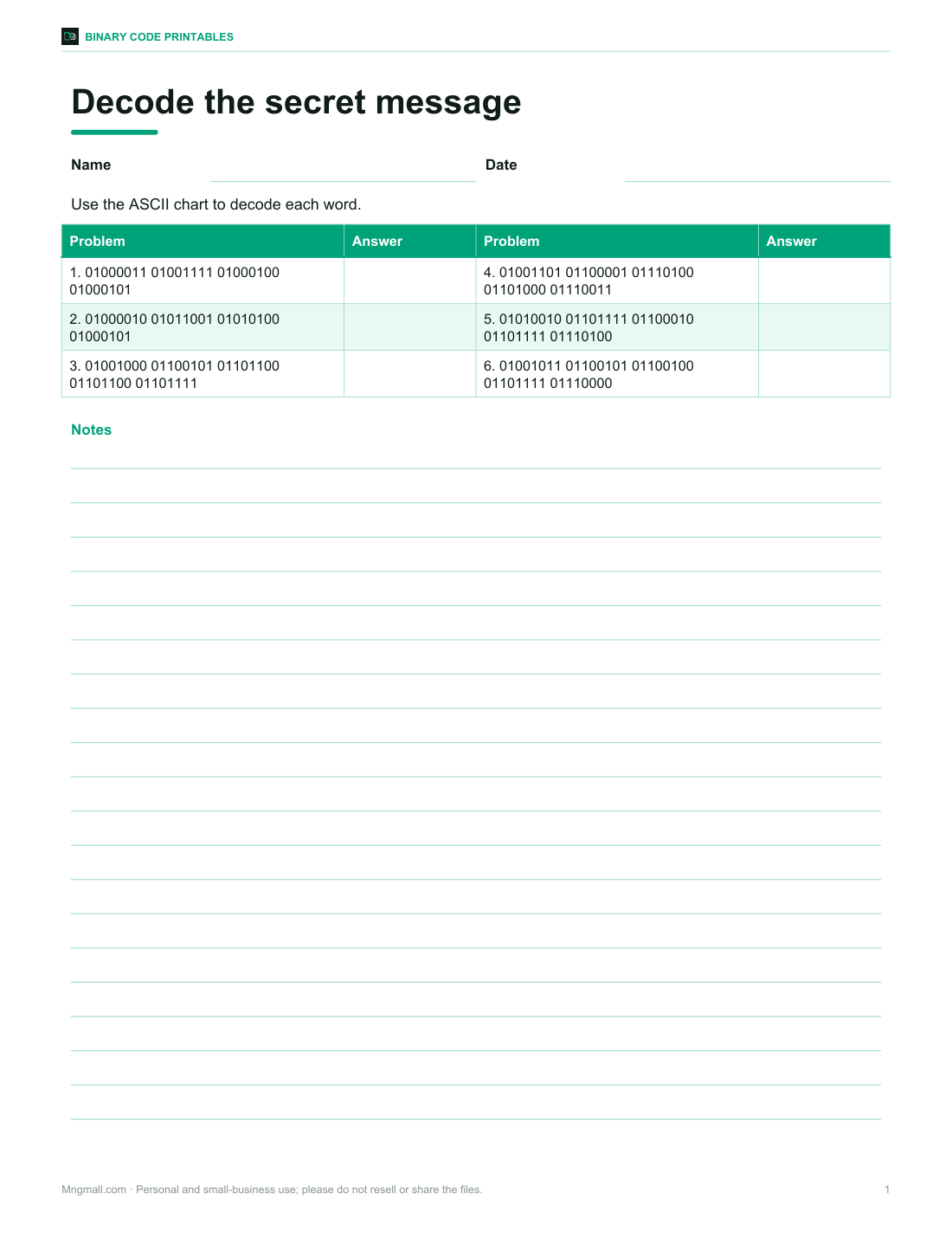
Printable ASCII binary chart (A–Z, a–z, 0–9), binary-to-decimal worksheets with answers, a secret-message decoding activity and a binary bracelet design sheet.
- ASCII chart (PDF/XLSX)
- Binary to decimal (PDF, DOCX)
- Secret message (PDF, DOCX)
- Bracelet design (PDF)
Formats: PDF, XLSX, DOCX. Instant download after payment (link valid 72 hours, up to 5 downloads). AI-assisted: the templates were drafted with AI help and reviewed and laid out before publishing.
$5.00 USD, one-time 4 files · about $1.25 each
- Instant download
- 7-day refund
- Secure checkout by Stripe
7-day money-back guarantee. Full refund within 7 days of purchase, even after you download.
Free sample: ASCII Binary Chart (PDF, 95 KB)
Full refund within 7 days — see the refund policy and license.
Free printables
Single sheets you can print right now, no sign-up. The full pack adds every sheet in one download plus the editable files.
 Printable ASCII Binary Chart
 Printable Binary to Decimal Worksheet
 Printable Binary Secret Message Worksheet
 Printable Binary Bracelet Design
How binary represents text
Each character is given a number by a character set — in ASCII, “A” is 65 and “a” is 97 — and each number is stored as a byte of eight bits. 65 in binary is 01000001: 64 + 1. To decode binary, split it into groups of eight, turn each group into a number, and look up the character. That is exactly what this converter does, one byte at a time.
ASCII letters in binary
| Char | Decimal | Binary | Char | Decimal | Binary |
|---|---|---|---|---|---|
| A | 65 | 01000001 | N | 78 | 01001110 |
| B | 66 | 01000010 | O | 79 | 01001111 |
| C | 67 | 01000011 | P | 80 | 01010000 |
| D | 68 | 01000100 | Q | 81 | 01010001 |
| E | 69 | 01000101 | R | 82 | 01010010 |
| F | 70 | 01000110 | S | 83 | 01010011 |
| G | 71 | 01000111 | T | 84 | 01010100 |
| H | 72 | 01001000 | U | 85 | 01010101 |
| I | 73 | 01001001 | V | 86 | 01010110 |
| J | 74 | 01001010 | W | 87 | 01010111 |
| K | 75 | 01001011 | X | 88 | 01011000 |
| L | 76 | 01001100 | Y | 89 | 01011001 |
| M | 77 | 01001101 | Z | 90 | 01011010 |
Lowercase letters are exactly 32 higher than capitals, which in binary means one bit changes: A = 01000001, a = 01100001. Digits 0–9 are 48 to 57 (00110000 to 00111001), and a space is 32 (00100000).
Reading a byte
| Bit position | 128 | 64 | 32 | 16 | 8 | 4 | 2 | 1 |
|---|---|---|---|---|---|---|---|---|
| H = 72 | 0 | 1 | 0 | 0 | 1 | 0 | 0 | 0 |
| i = 105 | 0 | 1 | 1 | 0 | 1 | 0 | 0 | 1 |
| ! = 33 | 0 | 0 | 1 | 0 | 0 | 0 | 0 | 1 |
Add the place values where there is a 1: for H, 64 + 8 = 72. So 01001000 01101001 00100001 spells “Hi!”, the example loaded in the converter.
ASCII, Unicode and UTF-8
ASCII defines 128 characters — English letters, digits, punctuation and control codes — using 7 bits, stored in 8-bit bytes. Unicode extends this to well over a hundred thousand characters from every writing system, plus symbols and emoji. UTF-8 is the most common way to store Unicode: ASCII characters stay as one byte, so plain English text is identical in ASCII and UTF-8, while other characters take two to four bytes. For example, é is 11000011 10101001 and the 😀 emoji takes four bytes.
Using the converter
- Choose Binary → text or Text → binary.
- Paste or type your input; the result updates as you type.
- For binary input, spaces between bytes are optional — a long string is split into groups of eight.
- Pick how binary output is spaced.
- Use the table to see every character’s code point and bytes in binary, decimal and hex.
- Swap to convert the result back again.
Common problems when decoding
- Groups that aren’t 8 bits — some sources drop leading zeros (1000001 instead of 01000001); separate bytes with spaces and the converter pads them.
- Garbled characters (�) — the bytes aren’t valid UTF-8; the binary may be in another encoding or have a missing bit.
- Extra characters — anything other than 0, 1 and separators is ignored, with a note.
- Bit order — this tool assumes the most significant bit first, which is standard for text.
Worked example
To write “OK” in binary: O is 79 = 64 + 8 + 4 + 2 + 1, so its bits are 01001111; K is 75 = 64 + 8 + 2 + 1, so 01001011. “OK” is 01001111 01001011 — two bytes, sixteen bits.
Binary, decimal and hexadecimal
| Decimal | Binary | Hex |
|---|---|---|
| 0 | 00000000 | 00 |
| 9 | 00001001 | 09 |
| 10 | 00001010 | 0A |
| 15 | 00001111 | 0F |
| 16 | 00010000 | 10 |
| 65 | 01000001 | 41 |
| 127 | 01111111 | 7F |
| 255 | 11111111 | FF |
Hexadecimal is a shorthand for binary: each hex digit stands for exactly four bits, so one byte is always two hex digits. Programmers use hex because 01000001 is easy to misread, while 41 is not. The table in the converter shows every byte in all three forms.
Where you meet binary text
Binary messages turn up in puzzles, escape rooms, computer science lessons, geocaches and T-shirt slogans. In real computer systems the same bytes are handled directly — the 0s and 1s are only written out when people want to see them. Knowing how to read them is a small, satisfying step towards understanding how computers store everything from documents to photos.
Binary activities for class
- Write your initials in binary and make a bead bracelet — one colour for 0, another for 1.
- Send a secret message to a partner to decode.
- Count on your fingers in binary: five fingers count to 31.
- Explore why 8 bits make 256 values (2⁸).
Printable pack
The optional pack includes a printable ASCII binary chart for A–Z, a–z and digits, binary-to-decimal worksheets with answers, a secret-message decoding activity and a bracelet design sheet. The converter above is free to use.
AI-assisted content
This page was drafted with AI assistance and reviewed before publishing. Conversion runs in your browser.
Frequently asked questions
How do I convert binary to text?
Split the binary into 8-bit bytes, convert each to a number and look up the character — or paste it into the converter.
What is “hello” in binary?
01101000 01100101 01101100 01101100 01101111.
What is A in binary?
01000001 (decimal 65).
Why are there 8 bits in a byte?
Eight bits give 256 values, enough for all ASCII characters with room to spare; it became the standard unit.
Does it work with emoji?
Yes, it uses UTF-8, where emoji take four bytes.
Is my text sent anywhere?
No, conversion happens in your browser.
What is a space in binary?
00100000 (decimal 32).
How many characters can one byte represent?
256 different values (0–255); UTF-8 uses several bytes for characters beyond ASCII.
Can I convert binary with no spaces?
Yes, a long string of bits is split into groups of eight automatically.